
Lumen for Mac

Your image folder is already a library.

Lumen makes it searchable, comparable, and finishable without importing a thing.

The first signed release is coming soon. Local-first, with no account required.

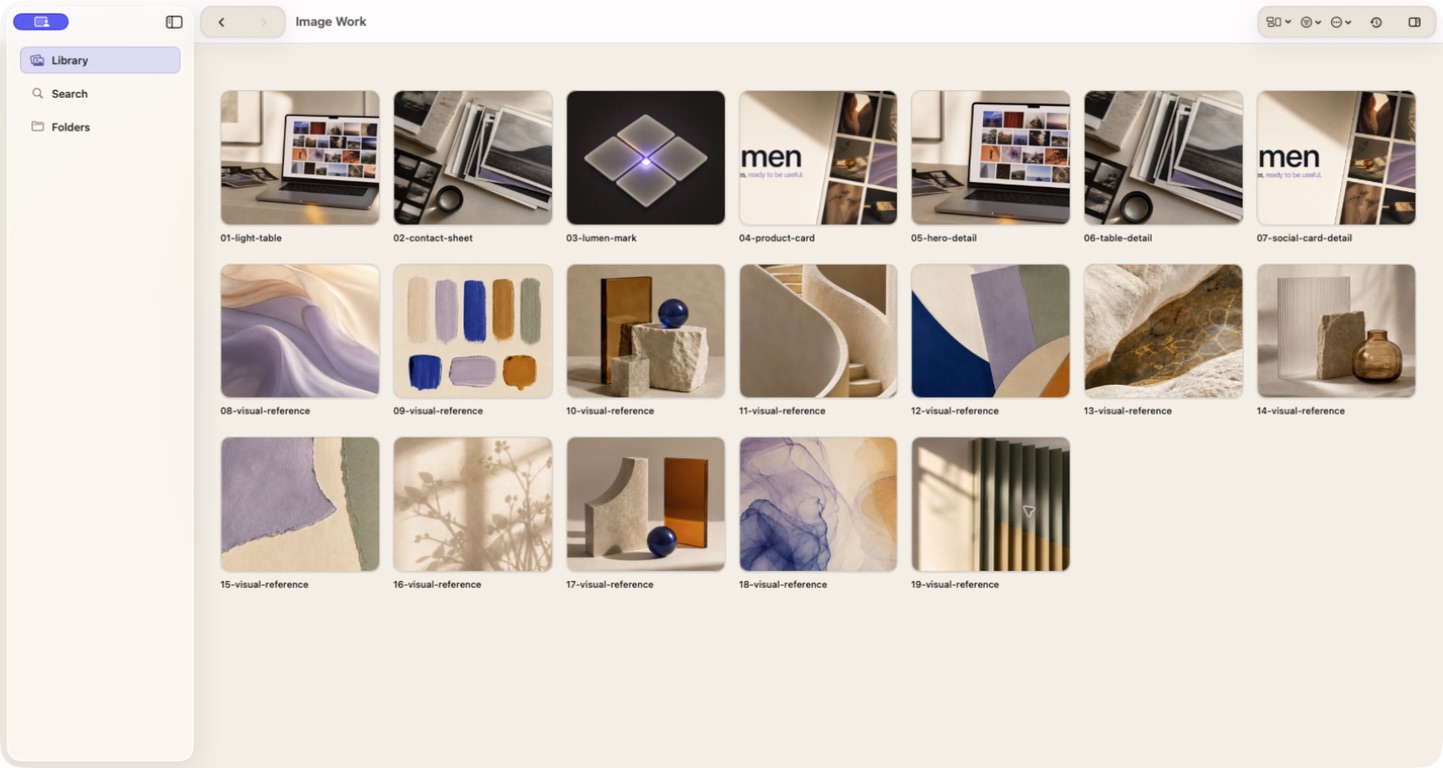
Lumen showing a real folder as an image wall with a sidebar, toolbar, and image thumbnails
Open the folder you already have. Lumen keeps the source visible and puts the images first.
Starting pointReal folders
ProcessingOn your Mac
Source filesUntouched by default
MemoryPersistent and local

The problem is not a lack of storage.

The problem is that a folder only remembers names.

Visual work gets hard at the moment a useful image becomes one of hundreds: the right screenshot, the strongest generation, the reference with the exact light, the export that was almost final.

Lumen adds the missing layer of memory and judgment while your real folders stay in charge.

Lumen image wall displaying a folder of screenshots, product images, and visual references
01 The image wall keeps the whole folder in view instead of turning every decision into a file-opening exercise.

Open in place

Start with the folder you already trust.

There is no import ceremony and no new taxonomy to maintain. Choose a folder in Finder and Lumen progressively maps the images it finds there.

That means the app becomes useful before you have reorganized your life around it.

How folders work

Judge the image

Make the decision while the images are in front of you.

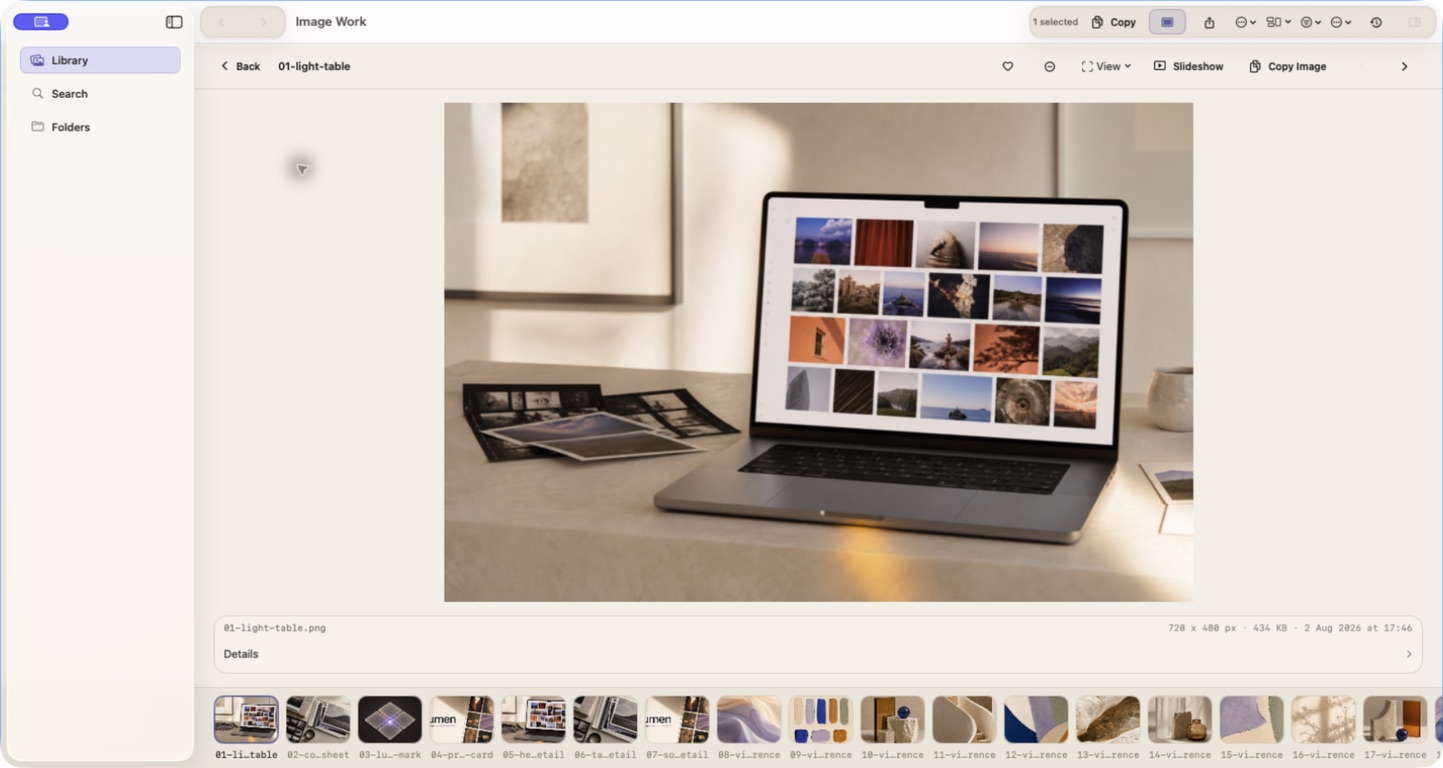
Use the wall for context, then open Focus when one image needs your full attention. The result set, curation controls, metadata, and filmstrip stay close to the decision.

You can mark a keeper, reject a near miss, compare a variant, or copy the image without losing where it came from.

See real workflows
Lumen Focus view showing one image, curation controls, metadata, and a filmstrip of the current folder
02 Focus is a working view, not a dead-end preview. The folder context remains one shortcut away.

Useful because each capability removes a specific kind of friction.

The point is not to add more controls to the image workflow. It is to make the next decision easier to reach.

01

No import step. No migration project.

Start with the folder you already trust.

Choose a real folder in Downloads, Pictures, or a project directory. Lumen reads the images where they already live and builds an image-first wall over that source.

Why it matters: You can get useful on the first session instead of spending the first session preparing a new library.

02

Useful memory survives the next rename.

Remember the image, not just the filename.

Lumen progressively builds local derivatives such as thumbnails, OCR, colors, exact fingerprints, file traits, provenance, and optional visual embeddings. Successful work is persisted against content identity.

Why it matters: The clue you remember can still lead to the image when the name, path, or folder arrangement has changed.

03

Words, appearance, and color belong in the same search conversation.

Search from the clue you still have.

Search filenames, paths, OCR, tags, notes, provenance, dates, traits, and curation. When local visual understanding is available, use Appearance or Both and keep the active mode visible.

Why it matters: “The screenshot with the pricing table” is a better starting point than guessing which export was called final-7.

04

Browse, focus, compare, and cull without losing the thread.

Make the decision while the images are in front of you.

Use the image wall for context, Focus for a close read, Compare for variants, Duplicate Review for cleanup, and local curation for keepers, rejects, tags, and collections.

Why it matters: You stop reopening Finder, Preview, and temporary copies just to answer a visual question.

05

Derivatives are where the work gets done.

Finish the job without disturbing the source.

Batch rename with a preview, Smart Resize with Crop, Fill, or Pad, contact sheets, export, and optional local upscale packs turn a selected set into a deliverable. Source changes stay explicit and recoverable where macOS supports it.

Why it matters: The shareable result can leave the workspace while the original folder remains the source you trust.

For the visual work that keeps multiplying.

Screenshots, generations, references, photos, exports, and the files you meant to come back to.

Local by design

Your images are not the product.

No accounts. No cloud upload. No analytics of your filenames, paths, tags, OCR, thumbnails, or image contents. Local understanding stays local.

Folder-firstOriginals untouchedPersistent local memory
Read the privacy principles

Bring the folders. Keep the work.

The first signed release is coming soon. The signed download and App Store link will appear when they are real.

Download for Mac